4×6 passport photo template
Six 2×2 photos on one 4×6 sheet with cut guides. Print it as a regular 4×6 for about $0.39.
The rules at a glance
U.S. passport- Photo size
- 2 × 2 in (51 × 51 mm)
- Digital file
- 1200 × 1200 px JPEG at 600 DPI
- Head size
- 1 to 1 3/8 in (25-35 mm), chin to top of head
- Background
- Plain white or off-white, no shadows
- Expression
- Neutral or natural smile, eyes open, mouth closed
- Glasses
- Not allowed
- Photo age
- Color photo taken in the last 6 months
- Paper
- Matte or glossy photo paper

A paper passport application (DS-11 or DS-82) needs one printed 2 × 2 photo. Digital + Print ($9.90) includes a 4×6 sheet as JPEG and PDF at 300 DPI, so you can print six photos at any photo counter instead of paying for a passport photo service.
Why photos get rejected
- Acceptable
Like this
Plain white, centered
 Rejected
Too far away
Head too small
- Rejected
Head tilted
Keep it level
 Rejected
Side shadow
Face a window
- Rejected
Too dark
Find more light
 Rejected
Glasses on
Take them off
 Rejected
Big smile
Close your mouth
 Rejected
Hair over eyes
Keep your eyes clear
How it works
Take or upload your photo
Stand in front of a plain white wall facing a window. The live coach checks distance, tilt and light before it takes the shot, or you can upload a photo you already have.
We crop it and check it
We crop it to size and set a plain white background. No retouching. Then we check head size, eye line, photo size and face count, and show you every result.
Pay once and download
The preview is free. If it passes, pay once ($6.90 or $9.90) to download the photo and, with Digital + Print, a 4×6 sheet to print.
How to print it
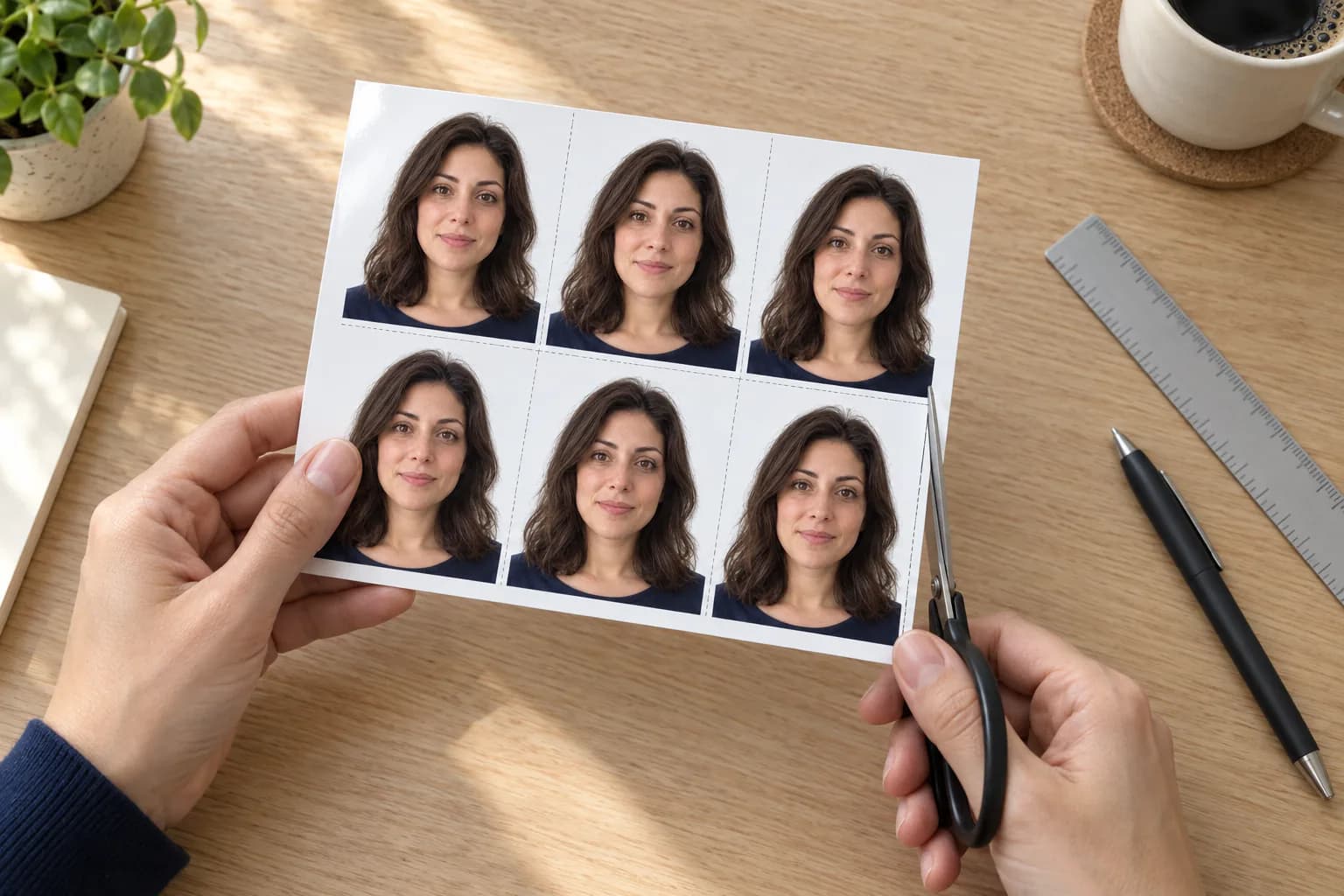
- Download the 4×6 sheet (JPG) from your order page.
- Upload it in the CVS, Walgreens or Walmart photo app or website.
- Order a regular 4×6 print on matte or glossy photo paper.
- Cut along the guides. Each photo is exactly 2 × 2 inches.
Turn off auto-crop and auto-enhance.Don’t choose the store’s “passport photo” product: it crops the sheet again and the photos stop being 2 × 2. A 4×6 print costs about $0.39 (typical price, Oct 2026; it varies by store).
Questions
How do I print at CVS, Walgreens or Walmart?
Upload the 4×6 sheet (JPG) in the store's photo app or website. Order a regular 4×6 print, not a "passport photo" product, and turn off auto-crop and auto-enhance. A 4×6 print costs about $0.39 (typical price, Oct 2026; it varies by store). Cut on the guides: each photo is exactly 2×2 inches.
What do I get, and what does it cost?
Digital, $6.90: your digital photo and a single 2×2 photo file, to download for 7 days. Digital + Print, $9.90: both, plus a 4×6 print sheet as JPEG and PDF, to download for 30 days. You pay once. There's no subscription and no add-ons, and the preview is free.
Do you change my photo?
Yes, in two ways, and we tell you up front. We crop and resize it to the 2×2 inch layout, and our processor sets the background to plain white. We never retouch your face, skin, hair or expression. The State Department asks for an original, unedited photo on a plain white or off-white background, so take it against a plain white wall: that keeps the background change as small as possible. For online renewal we don't sell an edited file at all.
I lost my files. How do I get them back?
Open the link in your backup email, or go to My photos and sign in with a one-time code sent to the email you paid with. Files stay available for your plan's download window.
Check your photo before you send it
Free preview, no account. You see every result before you pay.
Independent service — not affiliated with the U.S. Department of State or any government agency.