Digital passport photo: how to get one that uploads
Online renewal, the DS-160 and the DV lottery each want a different file. Here are the rules for each, how to take the photo with a phone, and how to send it without ruining it.
The rules at a glance
Digital photo- File type
- JPEG (the portal accepts JPG, PNG, HEIC or HEIF)
- File size
- 54 KB to 10 MB
- Digital file
- 1200 × 1200 px, framed like a 2 × 2 in passport photo
- Background
- Plain white or off-white, no shadows
- Expression
- Neutral or natural smile, no teeth showing
- Glasses
- Not allowed
- Photo age
- Color photo taken in the last 6 months
A digital passport photo is a photo file you upload, instead of a 2 × 2 print you mail. People search for it as a digital, electronic or soft-copy passport photo, but there isn’t one universal file. Each U.S. system that takes an upload has its own format, size and editing rules, and a file that works for one can be rejected by another.
This guide covers the three uploads most people meet: online passport renewal, the DS-160 visa form and the Diversity Visa (DV) lottery entry. The rules come from travel.state.gov and were checked in October 2026. If you’re applying on paper (DS-11 or DS-82), you need a printed photo instead: see the 2×2 passport photo page.
Why photos get rejected
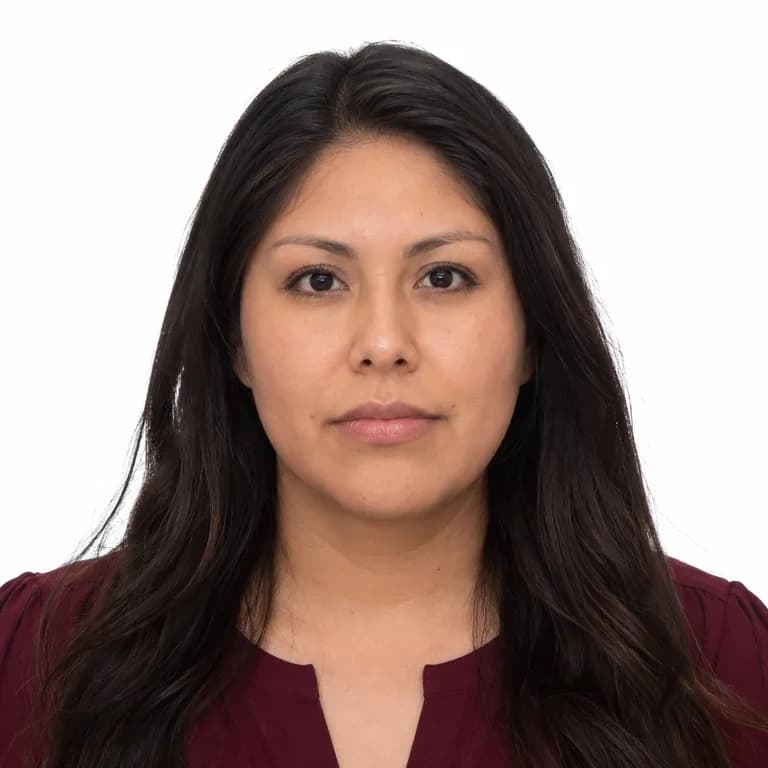
 Acceptable
Like this
Plain white, centered
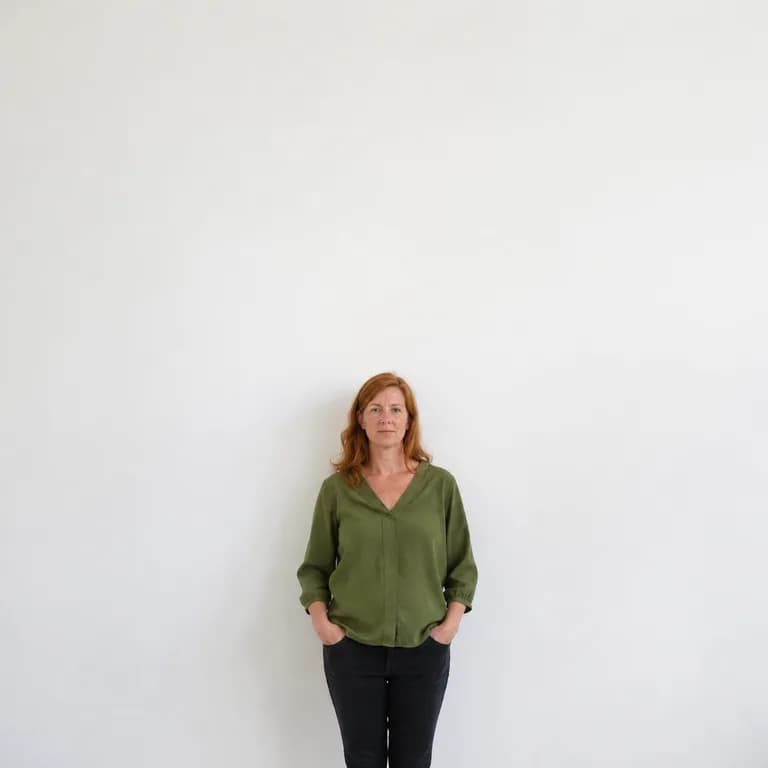 Rejected
Too far away
Head too small
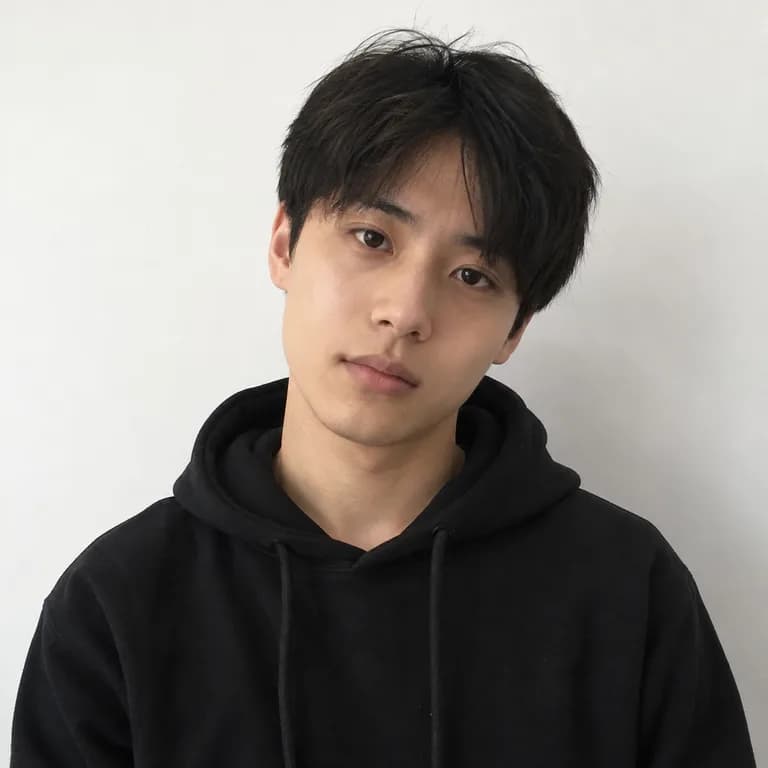 Rejected
Head tilted
Keep it level
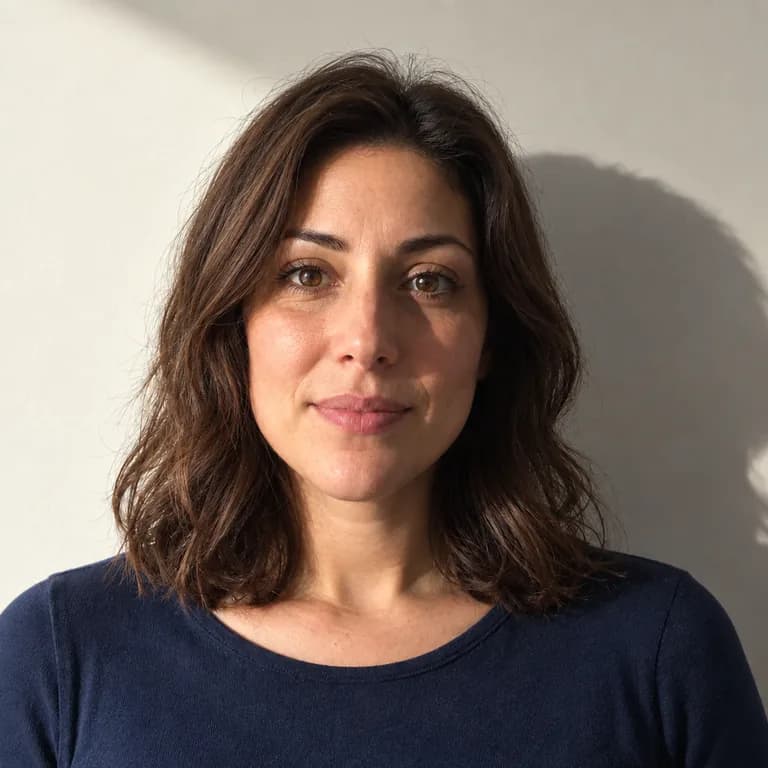 Rejected
Side shadow
Face a window
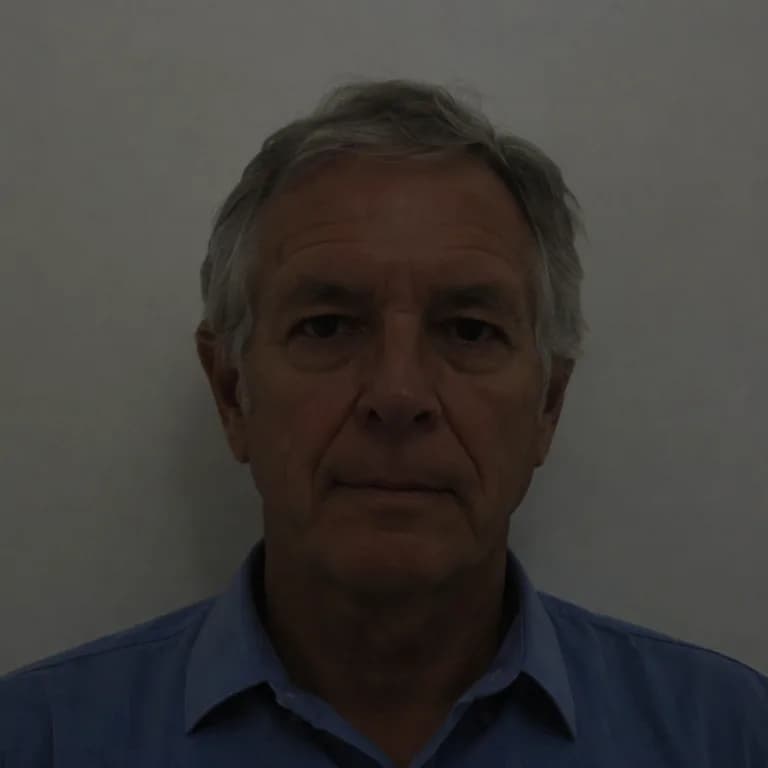 Rejected
Too dark
Find more light
 Rejected
Glasses on
Take them off
 Rejected
Big smile
Close your mouth
 Rejected
Hair over eyes
Keep your eyes clear
How it works
Upload your photo
Use a clear, front-facing photo of just you, taken against a plain wall in even light, from your phone or computer.
We crop it and check it
We crop it to size and set a plain white background. No retouching. Then we check head size, eye line, photo size and face count, and show you every result.
Pay once and download
The preview is free. If it passes, pay once ($6.90 or $9.90) to download the photo and, with Digital + Print, a 4×6 sheet to print.
Digital photo rules for each U.S. upload
| Where you upload | File | Size |
|---|---|---|
| Online passport renewal (opr.travel.state.gov) | JPG, JPEG, PNG, HEIC or HEIF, in color | 54 KB to 10 MB; no pixel minimum listed |
| U.S. visa, DS-160 | Square JPEG, 24-bit sRGB color | 600 × 600 to 1200 × 1200 px, 240 KB or less |
| DV lottery entry | Square JPEG | 600 × 600 px, 240 KB or less |
| Paper application (DS-11, DS-82) | No upload: a printed 2 × 2 in photo | Matte or glossy photo paper |
Sources: Uploading a digital photo (opens in a new tab) for online renewal and Digital image requirements (opens in a new tab) for visas, both on travel.state.gov. The online renewal page has changed several times since 2024 (it once accepted JPEG only, with a 600 × 600 px minimum), so check it again on the day you apply.
What every digital photo has in common
The file rules differ, but the photo inside the file follows the same rules as a printed passport photo:
- In color, taken in the last 6 months, showing how you look today.
- Plain white or off-white background, with no shadows, texture or objects.
- Facing the camera, head straight, both eyes open, mouth closed.
- No glasses, hats, headphones or uniforms (head coverings only for religious or medical reasons).
- Original and unedited. The State Department says it checks photos for AI tools, and it treats filters, retouching and a cut-out background as reasons to reject a photo.
For online renewal, the head and shoulders should fill the frame the way they would in a 2 × 2 print. The renewal page says the bottom of the photo should be at the edge of your shoulders, and it lets you crop the photo when you upload, so leave a little room around your head. For the DS-160, the head must be 50% to 69% of the image height and the eyes 56% to 69% up from the bottom.
How to take a digital passport photo with your phone
- Stand a few feet in front of a plain white or off-white wall. A white sheet over a door works if your walls aren’t white.
- Face a window in daylight so the light is even on both sides of your face. Turn off overhead lights that cast shadows under your eyes, and don’t use the flash.
- Have someone else hold the phone at your eye level, about 4 feet away. An arm’s-length selfie distorts the face and usually crops too tight. A propped-up phone with the timer also works.
- Use the main rear camera in the normal photo mode. Turn off portrait mode, beauty filters and anything that blurs or replaces the background.
- Take off glasses, hats, headphones and any ID badge or lanyard. Keep your hair away from your eyes.
- Look straight at the lens with a neutral face or a small closed-mouth smile, and take several shots.
Then pick the sharpest one and check it. Our passport photo checker measures head size and eye line and flags tilt, closed eyes and expression in about 10 seconds, free.
Getting the file off your phone without damaging it
- Don’t text it. Messaging apps shrink and recompress photos. The renewal page warns against sending the image by text message for this reason.
- Don’t screenshot it or photograph a print. Upload the original file. Scanning or photographing a printed photo is not allowed for online renewal.
- Mind the format.iPhones save HEIC by default. Online renewal accepts HEIC, but the DS-160 and DV lottery need a JPEG. Uploading straight from the phone’s browser, or using AirDrop, a USB cable or email at full size, keeps the original.
- Check the file size. A photo straight from a modern phone is usually a few megabytes: fine for online renewal, far too big for the 240 KB DS-160 limit. Shrinking it heavily by hand can make it too compressed, which upload tools flag.
Upload errors and what they usually mean
The online renewal photo tool checks your photo when you upload it and tells you what to change. Messages the State Department has listed include:
- Background may not meet our requirements:shadows or a colored or busy wall. Retake the photo against a plain white wall; don’t edit the background.
- Image compressed: the file is too small for its pixel size, often because it was edited or sent through an app. Upload the original file.
- Head size or position may be incorrect: too close, too far or off-center. Crop in the tool or retake from about 4 feet.
- Lighting or exposure / image quality: too dark, uneven light or a blurry shot. Face a window and hold the phone steady.
Passing the upload tool isn’t final approval. An employee reviews the photo after you apply and will write to you if it needs a new one. See passport photo rejected for the full list of reasons.
Where this service fits
- Online renewal:the renewal site wants your original photo, so we only check it, for free, and don’t sell an edited file. Upload your original at opr.travel.state.gov (opens in a new tab). More on the online passport renewal photo page.
- DS-160 visa: we crop your photo square, check head size and eye line, and export a 600 × 600 px JPEG under 240 KB. See the DS-160 photo checker.
- DV lottery: choose the DV lottery option in the photo tool for a 600 × 600 px JPEG.
- Paper application or green card forms: Digital + Print includes a 4×6 print sheet with six 2 × 2 photos. For USCIS forms, see the green card photo page.
We crop and resize your photo and set a plain white background; we never retouch your face. Whatever you use, no service can promise acceptance: a State Department employee, consular officer or USCIS makes that call.
Questions
Is a digital passport photo the same as a printed one?
The photo rules are the same: color, last 6 months, plain white or off-white background, no glasses, unedited. The difference is the delivery. A paper application (DS-11 or DS-82) needs a 2×2 inch print on photo paper, and the State Department doesn't accept photocopies or scans. Online renewal, the DS-160 and the DV lottery take a file instead.
Can I use a photo I took on my phone?
Yes, if it meets the rules. Have someone take it from about 4 feet away in even daylight against a plain white wall, in normal photo mode with no filters or portrait mode. Upload the original file rather than a texted copy or a screenshot, because messaging apps recompress photos.
I'm renewing my passport online. Can I use this?
Yes, as a free check. The renewal site asks for your original, unedited photo, so we don't sell an edited file for online renewal. Check your photo here, then upload your original photo at opr.travel.state.gov (opens in a new tab), the only official renewal site. It accepts JPG, PNG, HEIC or HEIF files from 54 KB to 10 MB, and you can crop the photo there.
Can I use it for a U.S. visa (DS-160)?
Yes. The DS-160 needs a square JPEG between 600 × 600 and 1200 × 1200 pixels, 240 KB or less. Choose "U.S. visa (DS-160)" and we export a 600 × 600 px JPEG under 240 KB, checked for head size and eye line. Some embassies also ask for a printed 2×2 photo at the interview; Digital + Print includes a 4×6 sheet.
Is this an official government website?
No. US Passport Photo Online is an independent service, not affiliated with the U.S. Department of State or any government agency. The official photo rules are at travel.state.gov (opens in a new tab), and only opr.travel.state.gov (opens in a new tab) can renew a passport online.
Check your photo before you send it
Free preview, no account. You see every result before you pay.
Independent service — not affiliated with the U.S. Department of State or any government agency.